Understanding the Job Board
Learn how to navigate Job Boards, assign your cards to resource nodes, and manage your workers.
✦ 01・UNDERSTANDING YOUR JOB BOARD
Your Job Board contains five worker slots, labelled A through E. Each slot holds one card and can be assigned to a resource node.
▸ Viewing your Job Board:
k!jobboardkjb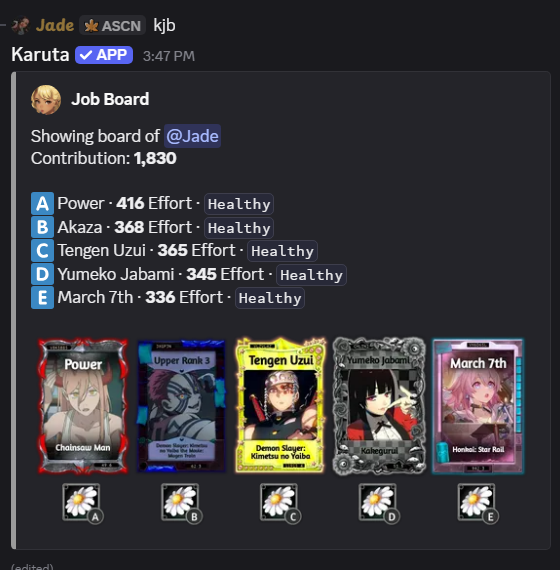
◈ 02・ASSIGNING WORKERS TO NODES
Resource nodes determine which type of bits your workers gather.
Different nodes produce different bits and have varying tax rates, which affect how many bits you keep.
▸ Viewing available nodes:
k!nodeskn▸ Assigning a node:
k!jobnode <slots> <bit type>kjn <slots> <bit type>Example: kjn abcde flower
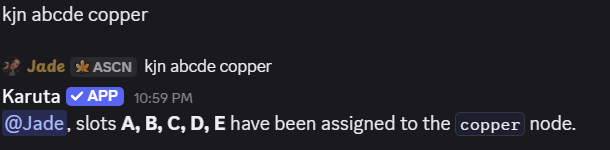
See an Example of Assigning Workers to a Node
This assigns all five worker slots to the Flower node.
You can also assign different nodes to individual slots.
※ Tip: Check node tax rates before assigning workers. Lower taxes generally mean keeping more of the bits you gather.
◇ 03・MANAGING YOUR WORKERS
Assign, replace, or remove cards from your Job Board using the commands below.
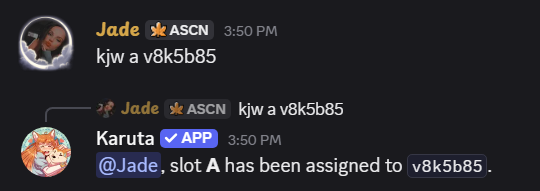
▸ Assign a Worker
Add a card to an empty worker slot.
k!jobworker <slot> <card code>kjw <slot> <card code>Assigning a Worker
▸ Replace a Worker
Assign a different card to an occupied slot, including when a worker is injured.
k!jobworker <slot> <card code>kjw <slot> <card code>Replacing an Injured Worker

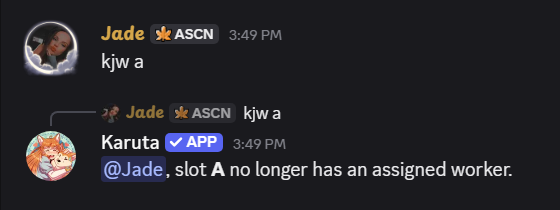
▸ Remove a Worker
Clear a worker slot without assigning another card.
k!jobworker <slot>kjw <slot>Removing a Worker
Use kjb to check your Job Board after making changes.
✧ 04・STARTING WORK
Once your cards and nodes are assigned, and your Work Permit is active, you're ready to gather bits.
k!workkw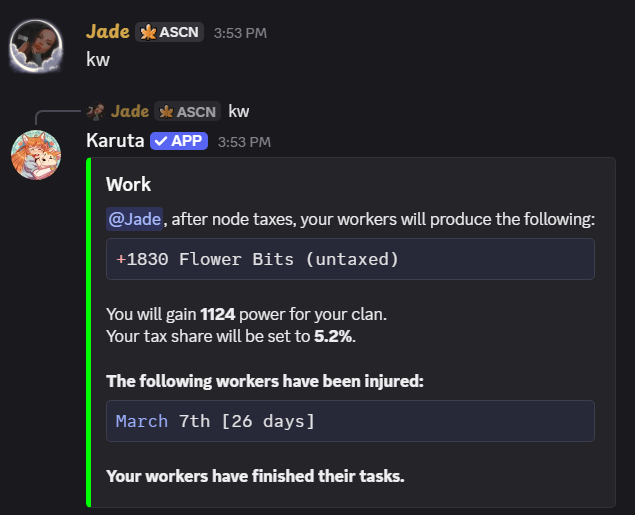
kw, including a worker injury.All eligible assigned workers participate when you work.
We'll explore gathering, node taxes, and choosing resources in more detail in the next guide.