Dyes & Mystic Dyes
Learn how regular and mystic dyes work, how to obtain and apply them, and how they affect your cards.
✦ 01・WHAT ARE DYES?
Dyes are cosmetic items used to recolour card frames.
There are two main types:
- Regular Dyes: Change certain parts of a frame’s colour without adding glow.
- Mystic Dyes: Add a glowing effect to frames and contribute more to a card's Style worker stat.
Each dye has its own unique code and requires Droplets to recharge.
◈ 02・OBTAINING DYES
Gem Shop Dyes
Dyes can be purchased from the Gem Shop for 50 gems each.
- Opening one gives you a random charged dye.
- There is a very small chance of receiving a Mystic Dye.
| Action | Full Command | Shortcut |
|---|---|---|
| Open Dye | k!use dye |
ku dye |
Purchasing an Unopened Dye
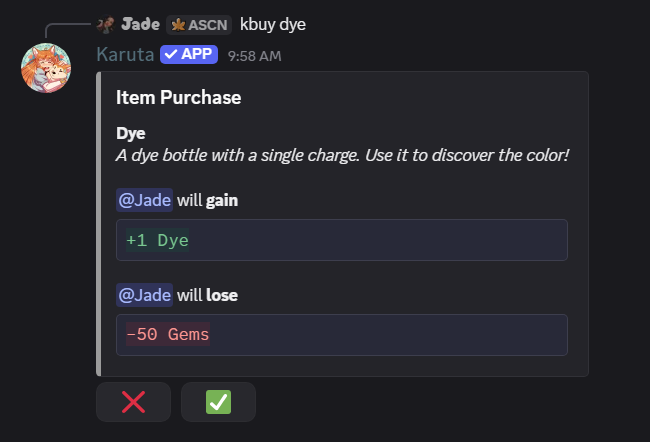
Purchase an unopened dye for 50 Gems. It contains one charge; its colour is revealed when opened.
| Action | Full Command | Shortcut |
|---|---|---|
| Buy Dye | k!buy dye | kbuy dye |
Example: Purchasing an Unopened Dye
Opening an Unopened Dye
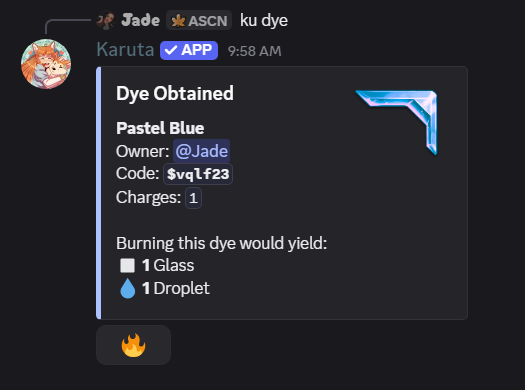
Use the unopened dye to reveal its colour, unique code, and charges.
| Action | Full Command | Shortcut |
|---|---|---|
| Open Dye | k!use dye | ku dye |
Example: Opening an Unopened Dye
⌖ 03・BURNING DYES & GLASS
Burning unwanted dyes provides Droplets and Glass.
- Droplets are used to recharge dyes.
- Glass is used to craft dye bottles.
| Action | Full Command | Shortcut |
|---|---|---|
| Burn Dye | k!burn <dye code> |
kb <dye code> |
Burning Multiple Dyes
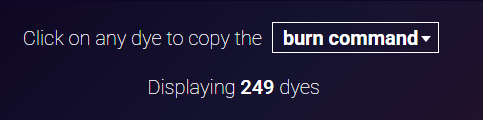
Open your collection with kdc, then select Web Interface. In the dashboard, change the dropdown from Dye Code to Burn Command. Select the dyes you want to burn. The dashboard shows your selected count and expected materials. Click Copy burn command, then paste the copied command into a Discord channel that supports Karuta.
Example: Selecting Burn Command
Example: Copying the Multi-Burn Command
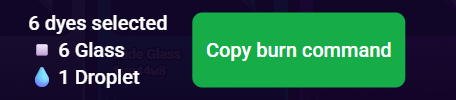
Karuta then displays a confirmation showing the selected dyes and the Glass and Droplets you will receive. Review the pages of selected dyes before pressing the 🔥 button to confirm. In this example, six dyes yield six Glass and one Droplet.
Example: Multi-Burn Confirmation
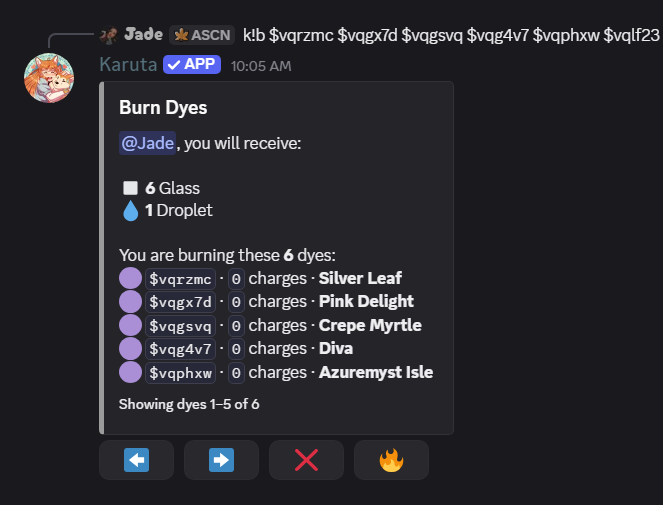
Burning a dye permanently destroys it. It's generally better to burn unwanted Regular Dyes rather than valuable Mystic Dyes.
◇ 04・DYE BOTTLES
Dye Bottles are crafted using 3 Glass each.
- Opening a bottle gives you a random uncharged dye.
- Bottles also have a small chance of producing Mystic Dyes.
- Unlike Gem Shop dyes, bottle dyes must be recharged before use.
| Action | Full Command | Shortcut |
|---|---|---|
| Buy Bottle | k!buy bottle |
kbuy bottle |
| Open Bottle | k!use bottle |
ku bottle |
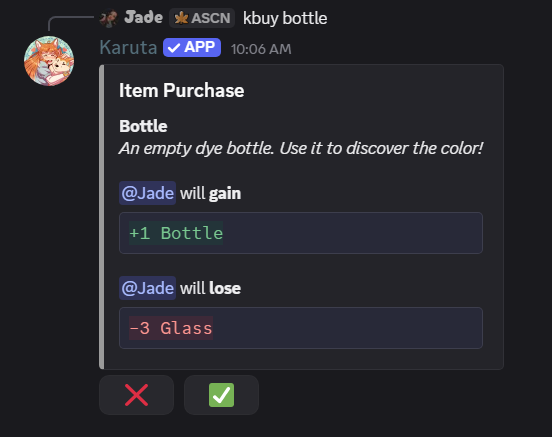
Purchase an empty dye bottle for 3 Glass using kbuy bottle.
Example: Purchasing a Dye Bottle with Glass
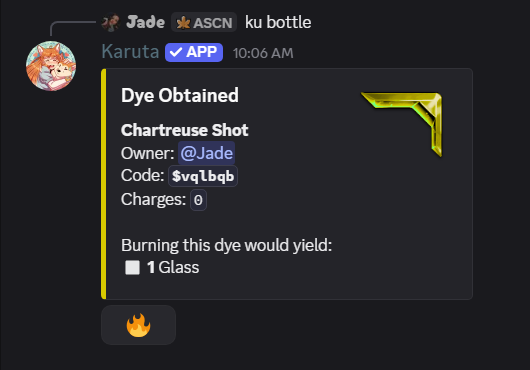
Open the bottle using ku bottle to discover a dye with 0 charges. Recharge it before applying it.
Example: Opening a Dye Bottle
✧ 05・VIEWING & APPLYING DYES
You can view your dye collection, inspect individual dyes, and apply them to frames.
Viewing Your Dye Collection
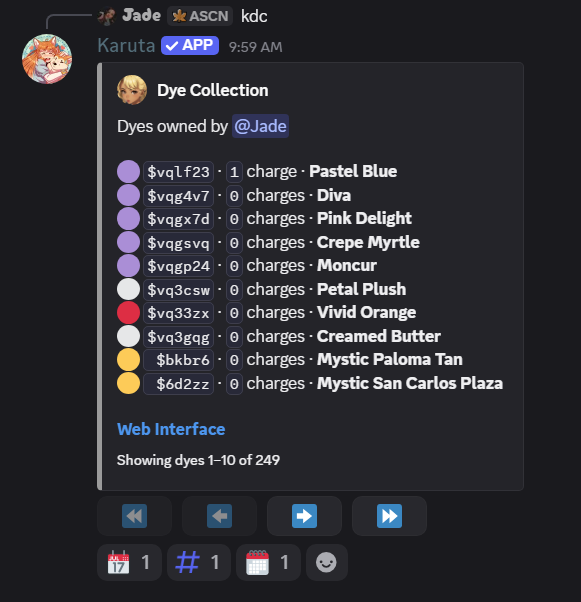
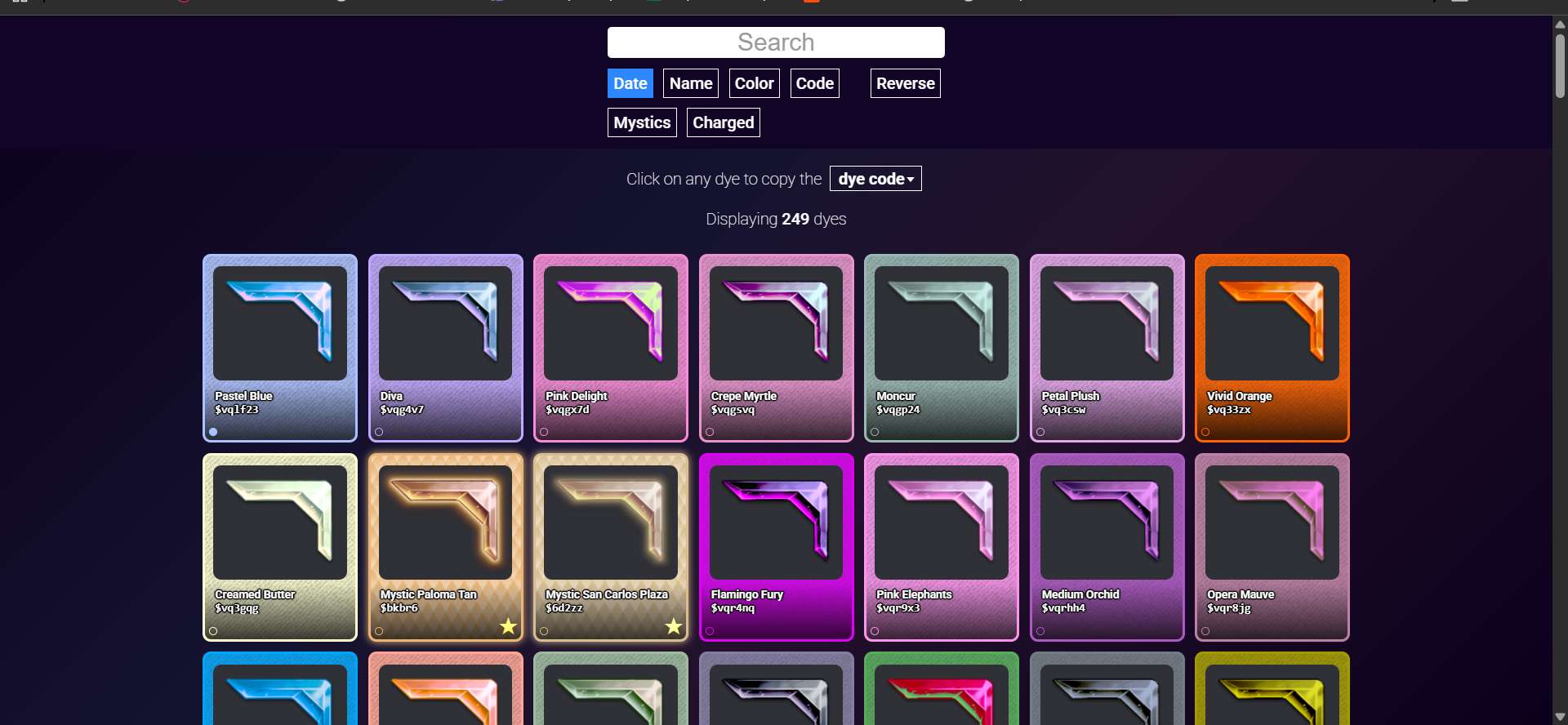
Use kdc to see your owned dyes, including their names, codes, colours and remaining charges. Select Web Interface to open Karuta’s Dye Dashboard.
Example: Viewing Your Dye Collection
Karuta’s Dye Dashboard
Search and sort by Date, Name, Color or Code; use Reverse to change the order, Mystics to filter mystic dyes, and Charged to filter dyes with charges. Click a dye to copy its code.
Example: Exploring the Dye Dashboard
| Action | Full Command | Shortcut |
|---|---|---|
| Dye Collection | k!dyecollection |
kdc |
| View Dye | k!view <dye code> |
kv <dye code> |
| Apply Dye | k!dye <dye code> <card code> |
kdye <dye code> <card code> |
| Remove Dye | k!dyeremove <card code> |
kdr <card code> |
Example: kdye $3hbs7 abc123
A dye must have sufficient charge before it can be applied.
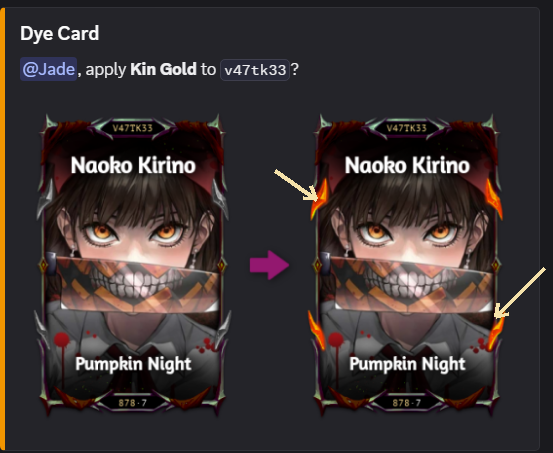
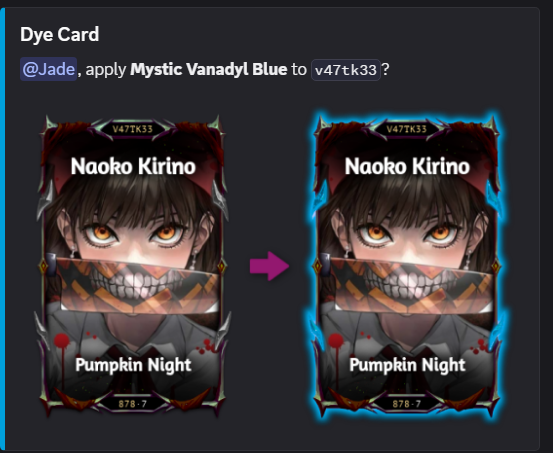
Applying Dyes: Visual Examples
Example: Regular Dye (coloured frame accents)
Example: Mystic Dye (glowing effect)
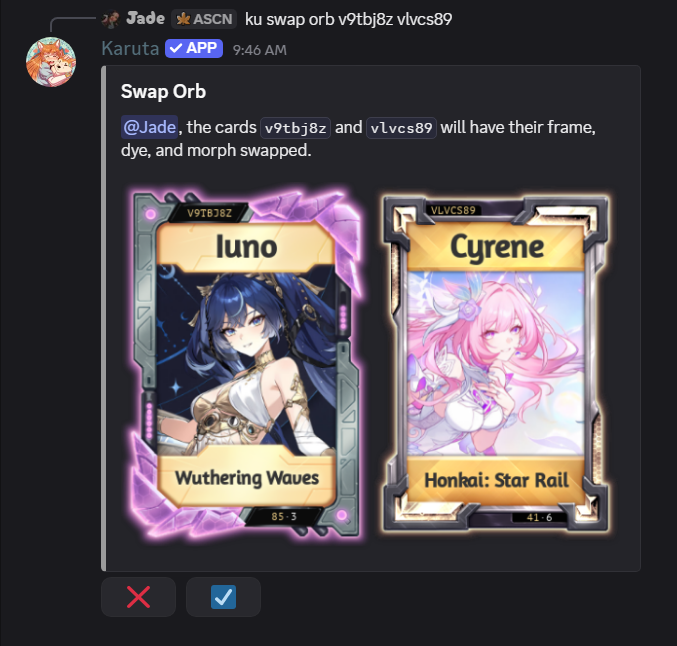
※ Swap Orb Tip: Swap Orbs can transfer a dye to a card that doesn’t have one. If both cards already have dyes, their dyes will be exchanged. Frames and morphs are also exchanged if present. In the example below, both cards have only dyes, so only their dyes are swapped.
Example: Swapping Dyes Between Two Cards
◈ 06・DROPLETS & RECHARGING
Droplets are used to recharge dyes.
| Dye Type | Recharge Cost |
|---|---|
| Regular Dye | 3 Droplets |
| Mystic Dye | 30 Droplets |
Recharge a Dye:
| Full Command | Shortcut |
|---|---|
k!dyerecharge <dye code> |
kdrc <dye code> |
Example: kdrc $3hbs7
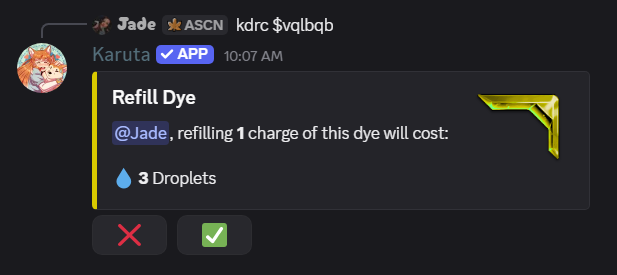
Regular dyes cost 3 Droplets per charge; mystic dyes cost 30 Droplets per charge. Both use the same recharge command.
Example: Recharging a Regular Dye
◈ 07・REMOVING DYES
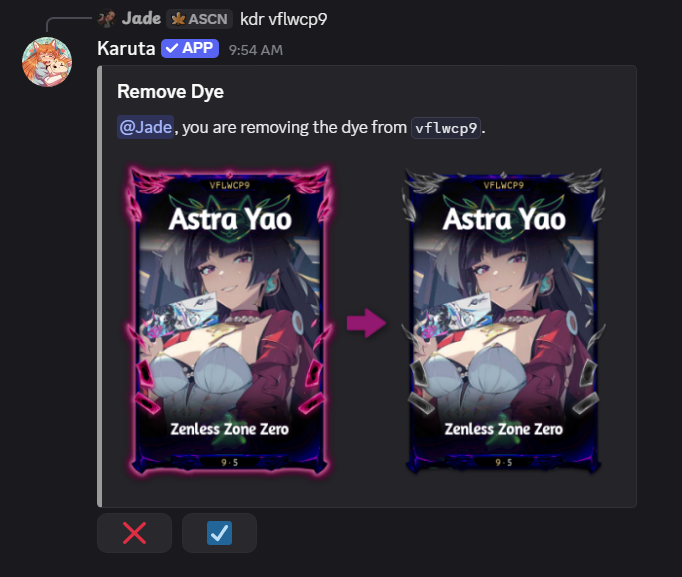
Remove an applied dye from a card using the Remove Dye command. Karuta shows a before-and-after preview before you confirm.
| Action | Full Command | Shortcut |
|---|---|---|
| Remove Dye | k!dyeremove <card code> | kdr <card code> |
Example: Removing a Dye from a Card