Frames & Frame Customization
Learn how to obtain, apply, and change card frames, and how frames affect your cards.
✦ 01・WHAT ARE FRAMES?
Frames are decorative borders that change a card's appearance.
- Different frames offer unique designs and styles.
- Frames contribute to a card's Style worker stat.
- All frames can be recoloured using dyes.
◈ 02・OBTAINING FRAMES
Special Frame Boxes
Purchased from the Gem Shop for 1,000 gems, these boxes contain a randomly selected frame.
| Action | Full Command | Shortcut |
|---|---|---|
| View Contents | k!iteminfo special frame box |
kii special frame box |
| Open Box | k!use special frame box |
ku special frame box |
You can also browse and filter available frames through the box's item menu.
Bit Frames
Certain frames can be crafted using bits. Each frame requires different types and amounts of bits.
| Action | Full Command | Shortcut |
|---|---|---|
| View Frame Shop | k!frameshop |
kfs |
| Check Frame Requirements | k!iteminfo <frame name> |
kii <frame name> |
| Buy Frame | k!buy <frame name> |
kbuy <frame name> |
Example: The Carnations Frame costs 2,500 Wood Bits + 2,500 Flower Bits.
Event Frames
Special frame boxes are available during events. Older event frames may also be obtained through player trading or marketplaces such as Karuta Kit.
⌖ 03・APPLYING & REMOVING FRAMES
Your card must be in Mint condition before a frame can be applied.
| Action | Full Command | Shortcut |
|---|---|---|
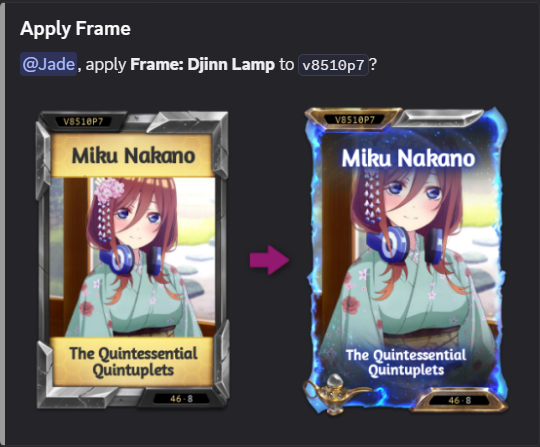
| Apply Frame | k!use <frame name> <card code> |
ku <frame name> <card code> |
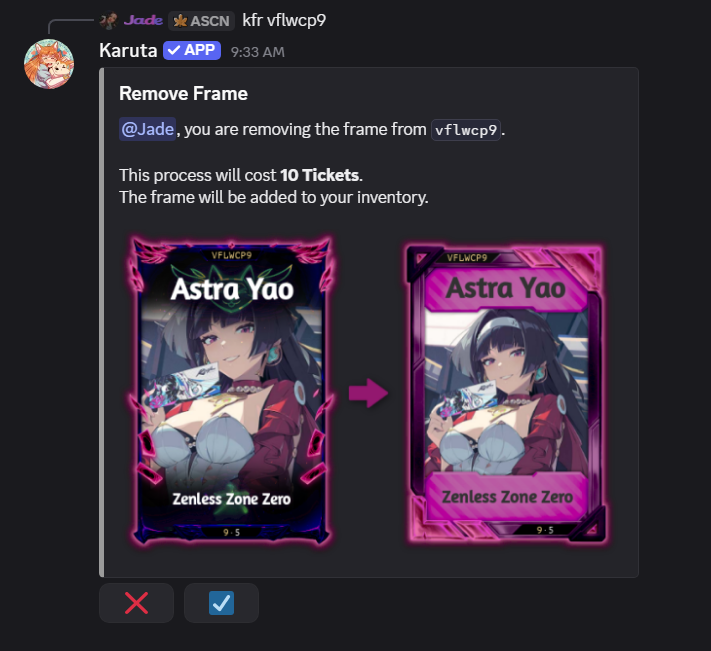
| Remove Frame | k!frameremove <card code> |
kfr <card code> |
Example: ku carnations abc123
Removing a frame costs 10 tickets.
※ Warning: Applying a new frame over an existing one permanently destroys the previous frame. It will not be returned to your inventory.
Example: Applying a Frame
Example: Removing a Frame
◇ 04・SWAP ORBS
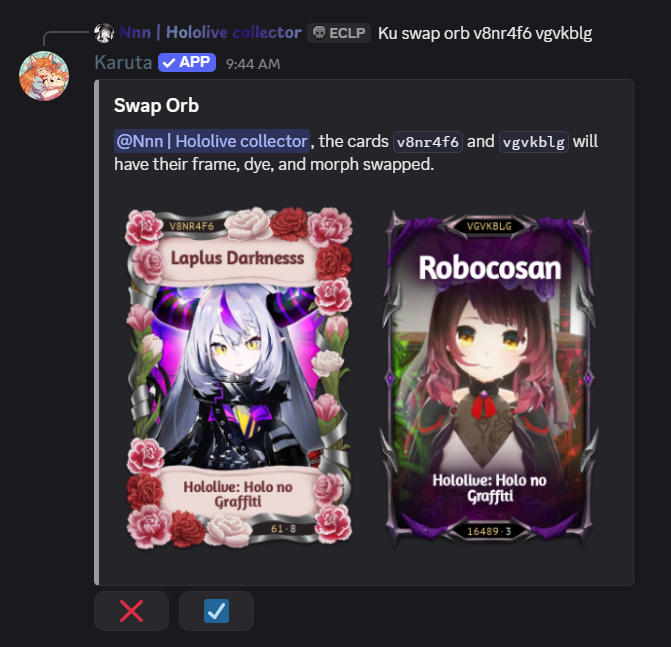
Swap Orbs exchange the entire cosmetic appearance between two cards, including their frame, morph, and dye.
They can be obtained through monthly voting rewards or Karuta player marketplaces.
| Full Command | Shortcut |
|---|---|
k!use swap orb <card code 1> <card code 2> |
ku swap orb <card code 1> <card code 2> |
Example: ku swap orb abc123 xyz456
Frame-only example: These two cards have frames, but no dyes or morphs. A Swap Orb exchanges their frames even when there are no other cosmetics to swap.
Example: Swapping Frames Without Dyes or Morphs